
Creator Equipment Depreciation & Upgrade Planner
Track the depreciating value of your current gear and calculate exactly how much you need to save each month to afford your next major upgrade.
Current Equipment Details
* Selecting a category auto-fills standard lifespan and resale values.
Future Upgrade Plan
Sinking Fund Concept
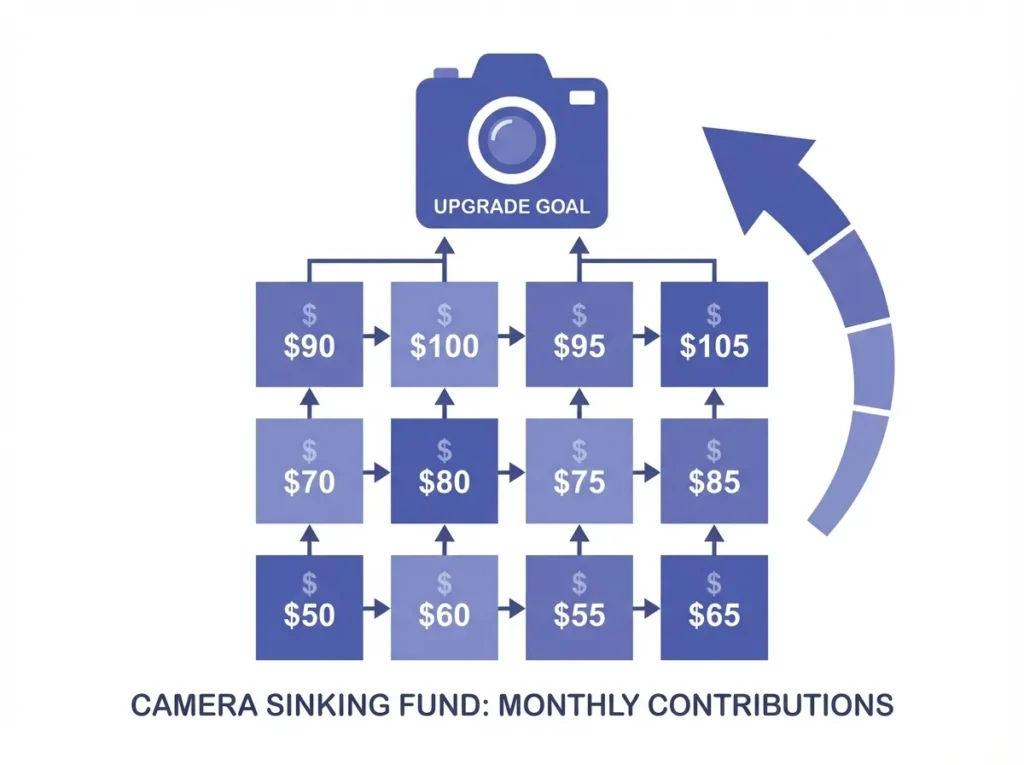
By treating equipment depreciation as a monthly expense, you build a "sinking fund." When your gear breaks or becomes obsolete, you already have the cash saved for the replacement.
Current Value & Depreciation
* Reduces your real-world upgrade burden.
Upgrade Sinking Fund
Every piece of creator gear you own is losing value right now, and most creators have no plan for it. This free upgrade planner calculates your equipment depreciation, tracks your current asset value, and tells you exactly how much to save each month so your next upgrade pays for itself.
Equipment depreciation refers to the gradual reduction in an asset’s value over its useful life due to age, wear and tear, and obsolescence. For creators, treating this loss as a monthly expense builds a sinking fund so replacement gear is always within budget when the time comes.
Why Equipment Depreciation Calculated Early Saves Creators Money
Most creators replace gear reactively: the camera breaks, the laptop dies, and suddenly there is a large unplanned expense. That pattern creates debt cycles and disrupts production schedules. Tracking depreciation turns a future cost into a manageable monthly line item you can see and plan around.
This is where a dedicated upgrade planner changes the financial picture. Instead of guessing when gear will fail, you enter the purchase price, expected lifespan, current age, and resale value. The tool calculates exactly how much value the asset has lost and how much you still have left. Creators who manage equipment this way avoid surprise cash gaps and can time upgrades strategically, often selling old gear while it still holds meaningful resale value.
If your revenue model involves multiple income streams, pairing this planner with a video editor revenue share vs. flat-rate calculator gives you a fuller picture of your content business costs versus income, helping you decide whether gear is a justified expense or a budget stretch.
Depreciation Methods and How This Calculator Works
This planner uses straight-line depreciation as its core calculation method, which is the most practical and widely used approach for individual creators and small media businesses. The formula is:
Annual Depreciation = (Purchase Price – Salvage Value) / Useful Life (years)
Monthly Depreciation = Annual Depreciation / 12
Current Estimated Value = Purchase Price – (Monthly Depreciation x Current Age in months)
The upgrade sinking fund side of the tool then subtracts your current estimated value (adjusted for any expected resale platform fee) from the cost of new gear, optionally adds a tech inflation adjustment, and divides the net funds needed by your remaining savings window to produce a monthly savings target.
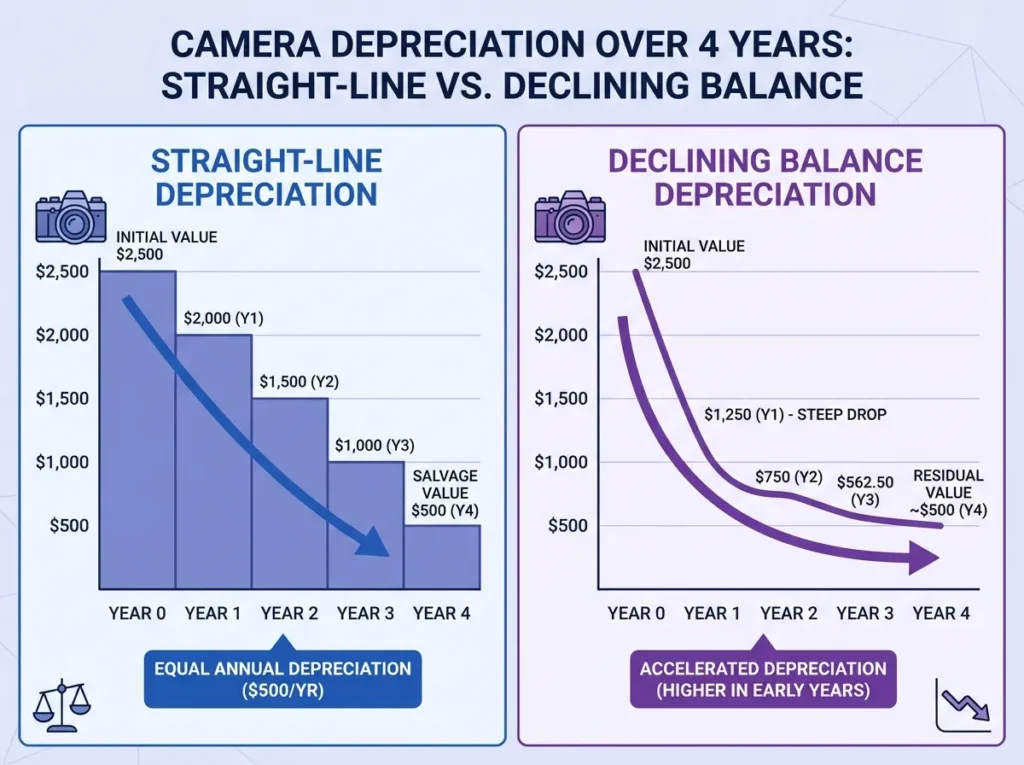
When This Calculation Does Not Apply: If your equipment has irregular usage patterns, such as gear rented out commercially or used intermittently across projects, straight-line depreciation may understate early-period value loss. In those cases, a declining balance method would produce a more accurate current book value. Additionally, equipment in harsh production environments (outdoor shoots, live events) may depreciate faster than the standard lifespan for that category.
Standard Creator Equipment Lifespan and Depreciation Reference
Standard Creator Gear Depreciation Reference Values (2026)
| Equipment Type | Typical Lifespan | Common Resale Value | Avg. Monthly Depreciation* |
| Camera Body (Mirrorless) | 3-5 years | 20-35% of purchase | $30-$80 / mo |
| Lenses / Optics | 8-15 years | 60-80% of purchase | $5-$20 / mo |
| PC / Laptop / Workstation | 3-5 years | 15-30% of purchase | $25-$70 / mo |
| Audio Gear (Mics/Interfaces) | 5-8 years | 30-50% of purchase | $5-$15 / mo |
| Lighting Equipment | 4-7 years | 20-40% of purchase | $8-$25 / mo |
| Gimbals / Stabilizers | 3-5 years | 25-40% of purchase | $10-$30 / mo |
*Based on straight-line depreciation from typical market purchase prices. Actual values vary by brand, condition, and usage intensity.
A Worked Upgrade Plan: Lena’s Workstation Scenario
Lena is a freelance video editor who bought a PC workstation for $2,500 fifteen months ago. She expects it to last 4 years (48 months) with a salvage value of $1,000. Her next upgrade target is a $5,000 editing workstation, and she plans to sell her current machine to offset the cost.
Step 1 – Monthly Depreciation: ($2,500 – $1,000) / 48 = $31.25 per month
Step 2 – Total Value Lost: $31.25 x 15 months = $468.75
Step 3 – Current Estimated Value: $2,500 – $468.75 = $2,031.25
Step 4 – Est. Resale After Platform Fee (1%): $2,031.25 – $20.31 = $2,010.94
Step 5 – Net Funds Needed: $5,000 – $2,010.94 = $2,989.06
Step 6 – Monthly Savings Target (33 months remaining): $2,989.06 / 33 = $90.58 per month
Lena now knows she needs to set aside roughly $91 each month to be ready for the upgrade exactly when her current machine hits end of life. No guesswork, no debt. This is how the tool uses the sinking fund concept: the depreciation expense becomes a forced savings estimate, so the replacement budget is already built up by the time the asset wears out.
If Lena also tracks how she monetizes her editing work, she can use the content repurposing time vs. profit calculator to confirm whether her workstation upgrade will generate enough incremental output to justify the investment.
Mistakes That Make Depreciation Tracking Less Accurate
The single most common error is ignoring the salvage or resale value. Creators often set this to zero, which overstates the depreciation expense and inflates the monthly savings target unnecessarily. Check used market prices on eBay, MPB, or Reverb before entering a salvage figure so the estimate reflects real-world resale conditions.
A second mistake is using the original purchase price rather than the actual depreciable base. If you paid $2,000 for a camera but received a $200 trade-in credit, your depreciable cost is $1,800, not $2,000. The tool accounts for this correctly as long as you enter the net purchase price you actually paid.
Tax implications are also frequently missed. In many jurisdictions, equipment depreciation qualifies as a business expense write-off that reduces your taxable income. The Show Estimated Tax Savings toggle in the tool lets you enter your income tax bracket and see the effective monthly tax savings from treating depreciation as a deductible expense. This is not a substitute for professional accounting advice, but it gives you a directional estimate during financial planning. For IRS depreciation standards and compliance guidance, refer to IRS Publication 946: How to Depreciate Property.
Creators who run subscription content businesses can extend this financial discipline further with the Patreon tier drop-off revenue forecaster, which helps forecast income stability against long-term equipment budget commitments.
How to Use the Creator Equipment Depreciation and Upgrade Planner
The tool is split into two panels: Current Equipment Details on the left and Future Upgrade Plan on the right. Here is how to fill each section:
- Select your Equipment Category from the dropdown on the left. Options include Camera Body, Lenses / Optics, PC / Laptop / Workstation, and Audio Gear (Mics/Interfaces). Selecting a preset category auto-fills standard lifespan and resale values. Choose Custom Equipment to enter your own figures.
- Enter the Original Purchase Price in USD (or your preferred currency set at the bottom of the form).
- Fill in Expected Lifespan in years and Current Age in months. These two fields drive the depreciation progress bar shown in the results.
- Enter the Expected Resale / Salvage Value and the Est. Selling Platform Fee (%) to account for marketplace costs such as eBay fees. Default is 10%, which you can adjust.
- Check Show Estimated Tax Savings if you want to factor in depreciation as a business deduction. Enter your Income Tax Bracket (%) in the field that appears.
- On the right panel, enter the Cost of Next Upgrade. Check Account for Tech Inflation and enter an Annual Inflation Rate (%) if you expect the target gear price to rise before your upgrade date.
- Check I plan to sell my old gear if you intend to use resale proceeds toward the new purchase. This deducts the current estimated resale value from net funds needed.
- At the bottom, set your Base Pricing Currency and optionally select a Convert Savings Plan To currency from the dropdown to see your monthly target in a second currency (useful for international creators).
- Click Generate Depreciation & Upgrade Plan. The results section displays your Monthly Savings Target, a full asset lifespan progress bar, current value and depreciation breakdown, and the upgrade sinking fund calculation.
- Use the Print button to save a PDF of your plan, or Share to copy a link. Reload Calculator resets all fields.
Why This Tool Is Free, Accurate, and Built for 2026 Creator Budgets
This planner is completely free and runs all calculations locally in your browser. No account, no signup, and no data is stored or sent to any server. The straight-line depreciation formula it uses is the standard method recognized for financial planning and tax deduction purposes in most jurisdictions, and the tech inflation adjustment reflects realistic annual price movement in the creator hardware market.
Multi-currency output covers 15+ currencies including USD, EUR, GBP, CNY, INR, JPY, and AUD, making this tool practical for creators anywhere in the world. All formulas are updated to reflect 2026 equipment market standards.
Frequently Asked Questions About Equipment Depreciation and the Upgrade Planner
What is equipment depreciation and why does it matter for creators?
Equipment depreciation refers to the gradual decrease in an asset’s value over its useful life. For creators, it matters because gear like cameras, laptops, and audio interfaces loses value over time, and tracking that loss helps you budget for replacement costs before the equipment actually fails. Treating depreciation as a monthly expense builds a sinking fund so your next upgrade does not hit your budget as a sudden shock.
How is equipment depreciation calculated in this tool?
The tool uses the straight-line method: (Purchase Price – Salvage Value) / Useful Life in months. This is one of the most reliable methods to calculate depreciation for standard equipment with predictable wear patterns. The result gives you a fixed monthly depreciation figure, which accumulates to show how much value the asset has lost and what it is currently worth.
Can I use this as an upgrade planner for construction machinery or office equipment?
Yes. While the tool uses creator gear presets as defaults, the Custom Equipment option lets you enter any original purchase price, expected lifespan, and salvage value. This makes it functional as a general asset depreciation calculator for construction machinery, office equipment, vehicles, or any other depreciable business asset where straight-line depreciation is appropriate.
Does the tax savings estimate reflect real deduction compliance?
The tax savings estimate is a directional planning figure only. It applies your stated income tax bracket as a fixed percentage against the monthly depreciation amount to show the potential monthly tax benefit. Actual deductions depend on your jurisdiction, asset classification, and whether you use straight-line or accelerated depreciation schedules for compliance purposes. Always consult a qualified accountant for accurate tax deduction advice.
Ready to see your numbers? Scroll back up, fill in your gear details, and hit Generate Depreciation & Upgrade Plan – it updates instantly with your personalized monthly savings target.
Formula accuracy verified for standards.